Design Collaboration Tools
Creative collaboration simplified
Your team is more productive when it works in sync. Create a consistent brand by communicating and organizing everyone by default. Every file, asset, and comment relevant to their work in one place.









Honestly, is this how you want to run creative projects?
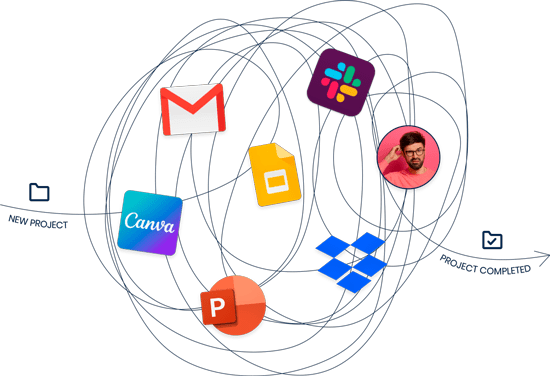
Clarity from start to finish.
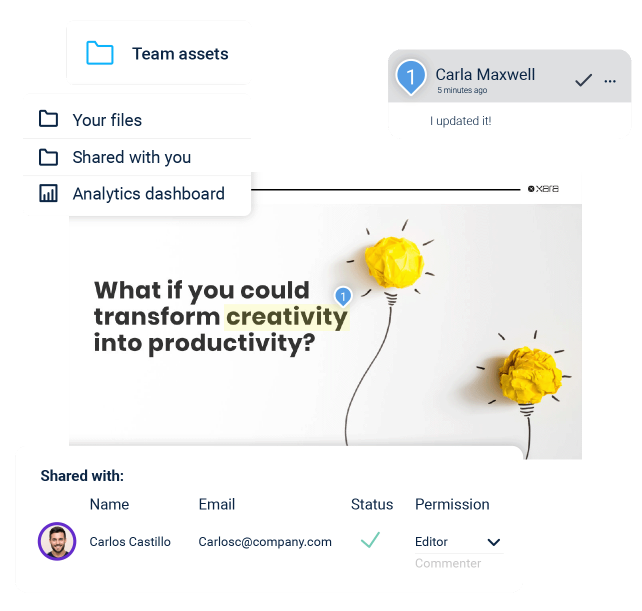
Always on schedule together.
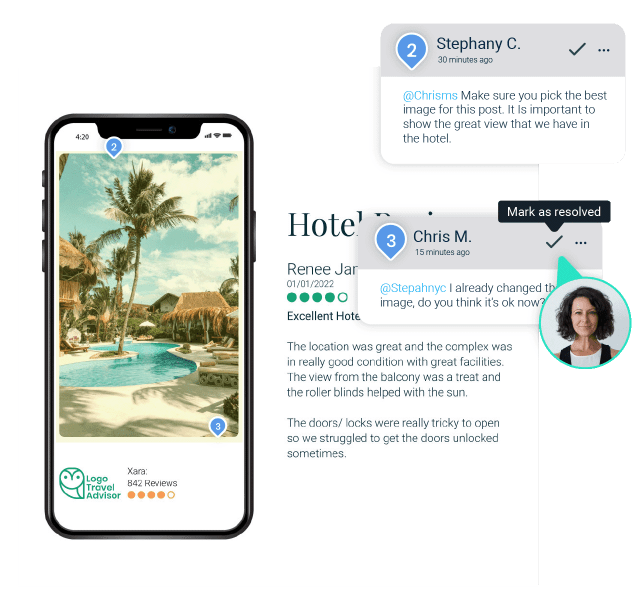
Elevate the quality of your results.
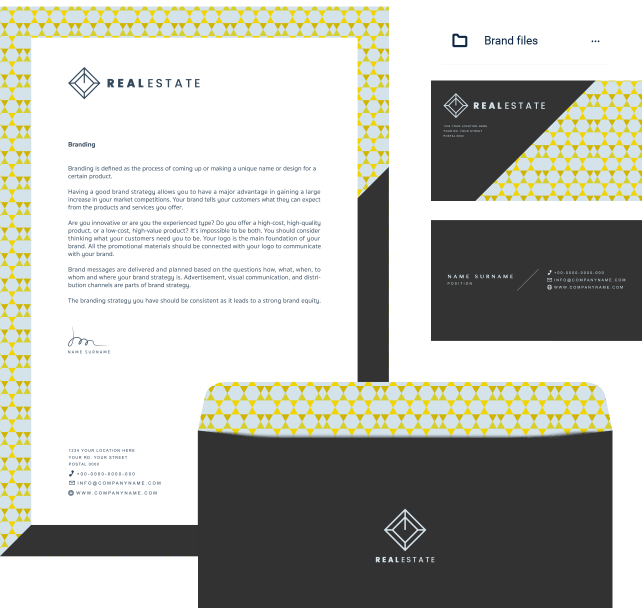
Your Digital Asset Library is powered by:
Real-time or async editing
Create a single source of truth and invite people to work on your documents.
Approval workflows
Notify teammates or clients when you need to finish a task and get their approval.
Lockable templates
Create templates and choose which elements can be modified by others.
Asset centralization
Keep all your creative assets & docs in one place for better access and control.
Team folders
Organize your team, decide who can access what files and who can make changes to them.
Commenting & Tasks
Gather all your feedback in one place. Leave comments on specific items—image, text, logo, and resolve them when it’s no longer relevant.
Automatic branding
Automatically brand your content and enforce your brand guidelines without hassles.
Integrations
Seamlessly connect with your marketing stack and cloud drives to deliver better work, faster.
Tagging & Notifications
Mention a colleague in the comments and notify them to complete work faster.
Doc sharing & Permissions
Share your documents with your whole team, a single user. Allow guests to edit, comment or view specific elements of a single document.
Analytics & Insights
Get insights on how your content is being used, who’s vieweing, what they’re looking at, when, where, and for how long.
Team templates
Add consistency to your brand by creating replicable branded templates with all your brand elements and structure.
Ready to simplify your online collaboration?
Frequently Asked Questions
What is creative collaboration?
Creative collaboration is the process of multiple people — designers, marketers, sales, executives, and external partners — working together on the same creative project with shared visibility into feedback, edits, approvals, and the latest version. Effective creative collaboration replaces scattered Slack threads and email chains with one place where the file, the conversation, and the approval all live together.
What is a creative collaboration tool?
A creative collaboration tool is software that lets distributed teams co-edit, comment on, approve, and version creative work in real time — combining a design or document editor with team folders, commenting, tagging, approval workflows, and asset management. Xara also adds brand enforcement and lockable templates.
What is a design collaboration tool?
A design collaboration tool is a platform where designers and non-designers work together on visual content with real-time editing, inline comments, role-based permissions, and shared asset libraries. Unlike traditional design software for a single designer, design collaboration tools are built for cross-functional teams.
Why is creative collaboration important?
Creative collaboration is important because creative projects involve many stakeholders, feedback rounds, and tight deadlines. When feedback is scattered across Slack, email, Teams, and meetings, work slows down, mistakes multiply, and brand consistency suffers. Centralizing collaboration in one tool moves projects forward faster.
What's the difference between creative collaboration and project management?
Creative collaboration focuses on the creative work itself — co-editing the document, commenting on the design, approving the file — while project management focuses on tasks, timelines, and resourcing across a project. Tools like Xara handle work on the asset; tools like Asana or Trello handle workflow around the asset.
What is Xara's creative collaboration tool?
Xara’s creative collaboration tool is a cloud-based design and document workspace that lets your team co-edit creative work in real time, comment on specific elements, tag teammates, approve work, and share branded templates — all in one place.
What collaboration features does Xara include?
Xara’s collaboration features include real-time and asynchronous editing, approval workflows, lockable templates, asset centralization, team folders, commenting and tasks, automatic branding, cloud drive integrations, tagging and notifications, document sharing with granular permissions, analytics, and team templates.
Can multiple people edit a document at the same time in Xara?
Yes — Xara supports both real-time and asynchronous editing, so multiple teammates can work on the same document simultaneously or contribute when it suits their schedule. Changes appear live for everyone with access.
Can I leave comments on specific parts of a design in Xara?
Yes — Xara lets you leave comments on specific items inside a document — an image, a text block, a logo, or a section — and resolve them when they’re addressed. You can tag colleagues in comments to notify them when input is needed.
Does Xara have approval workflows?
Yes — Xara includes approval workflows that let you notify teammates or clients when a task needs to be reviewed or approved, with status tracking so you always know what’s pending and what’s done.
Can I invite people from outside my company to collaborate in Xara?
Yes — Xara lets you share documents with your whole team, individual users, or external guests, with granular permissions that allow guests to edit, comment, or only view specific elements of a single document.
Does Xara enforce brand consistency during collaboration?
Yes — Xara automatically applies your brand assets (logos, colors, fonts) to every document and includes lockable templates so admins decide which elements collaborators can change and which stay fixed. Non-designers can contribute without breaking the brand.
Can I see who viewed a document and what they looked at?
Yes — Xara’s analytics and insights show how your content is being used, who’s viewing it, what they’re looking at, when, where, and for how long.
Does Xara integrate with the tools my team already uses?
Yes — Xara integrates with Google Drive, OneDrive, Dropbox, Microsoft Word, PowerPoint, and other marketing-stack tools, so collaborative work connects to your existing file storage and content systems.
Can my team organize work into folders and project spaces?
Yes — Xara includes team folders that let you organize work by team, project, client, or campaign, with permissions controlling who can access and modify which folders.
How is Xara different from Figma for collaboration?
Xara differs from Figma by focusing on document and marketing content collaboration — proposals, brochures, social posts, presentations — rather than UI/UX design. Figma is built for product designers collaborating on app interfaces; Xara is built for marketing, sales, and business teams collaborating on branded business documents.
How is Xara different from Google Docs or Microsoft Word for creative work?
Xara differs from Google Docs and Word by giving teams a visual editor with design controls, branded templates, lockable elements, and asset libraries — not just a text document with comments. For visual content like brochures, presentations, and proposals, Xara produces design-grade output while keeping real-time collaboration.
Is Xara good for remote and distributed teams?
Yes — Xara is built for remote and distributed teams, with real-time co-editing, asynchronous commenting, tagging notifications, and cloud-based access from anywhere — so contributors in different time zones can move a project forward without waiting on meetings.
Is Xara good for marketing teams collaborating with sales or external clients?
Yes — Xara is widely used by marketing teams collaborating with sales reps, account executives, and external clients, with guest permissions and lockable templates that let outside contributors customize their pieces without changing the brand.
Is Xara free to try for collaboration?
Yes — Xara offers a free trial with no credit card or phone number required and a 1-minute signup, plus a 14-day free trial of the desktop tools. Paid plans unlock advanced collaboration, brand controls, approval workflows, and team features.
How do I get my team started with Xara?
Sign up for a free Xara account at cloud.xara.com — no credit card required — upload your brand assets, invite teammates by email, and create team folders for your active projects. Most teams are collaborating on their first document within minutes.